
Browser Automation
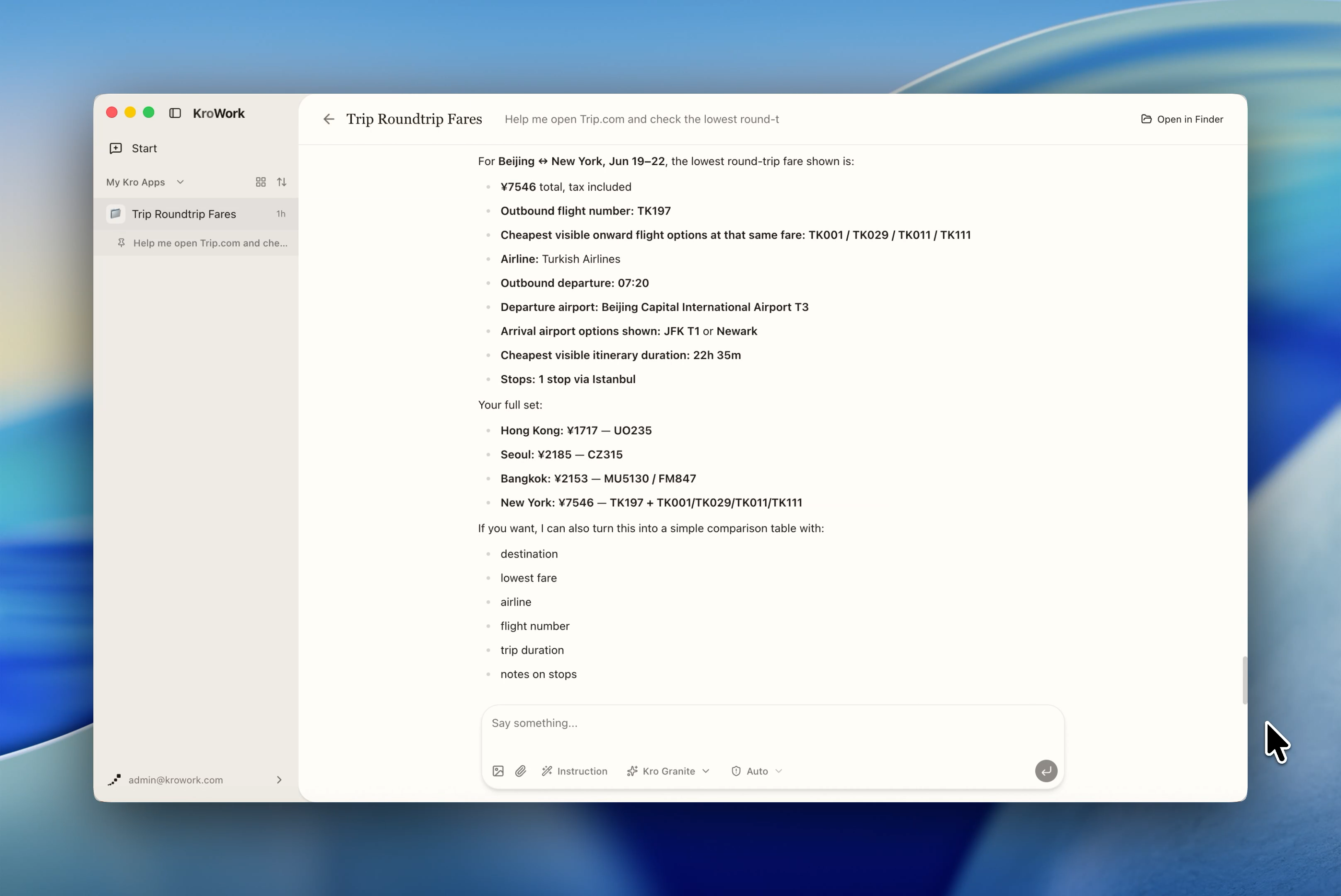
With browser automation capability, the system can operate your browser to complete tasks such as web browsing, data scraping, simulated clicks, batch clicking and more.
Simply give natural-language instructions, and Kro will free you from repetitive browser tasks.
Step 1: Submit a clear browser operation request
Give the Agent clear instructions: specify the website name or page URL to open, and list the tasks to complete.

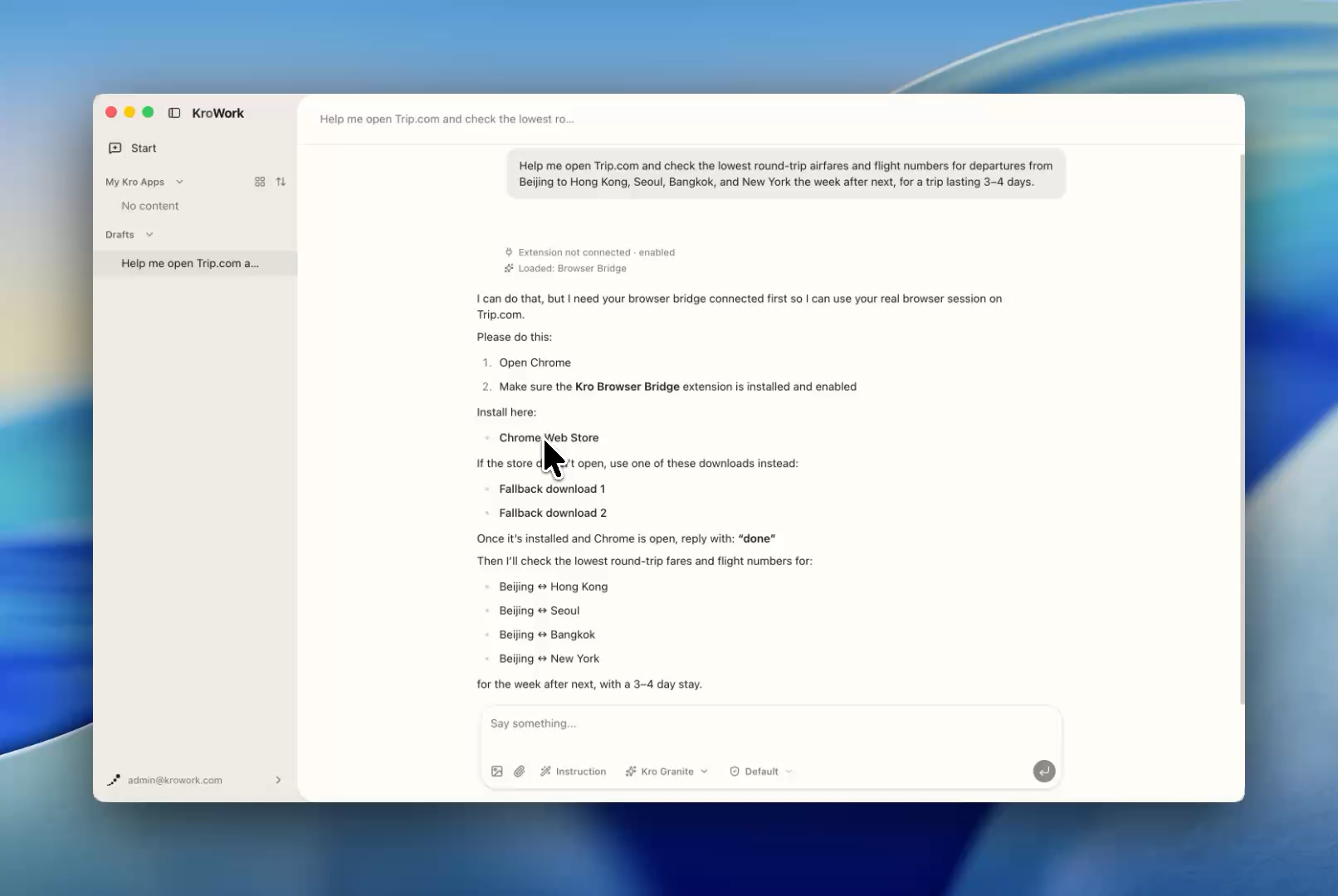
Step 2: Authorize and install the Kro Browser Bridge for seamless webpage control
- When prompted "Install Kro Browser Extension?", it is recommended to select Install to Chrome (Recommended).
- If you prefer manual installation or use an incompatible browser, choose Other Methods. KroWork will launch and operate with an independent identity, you may need to log in or verify your account again on certain websites.
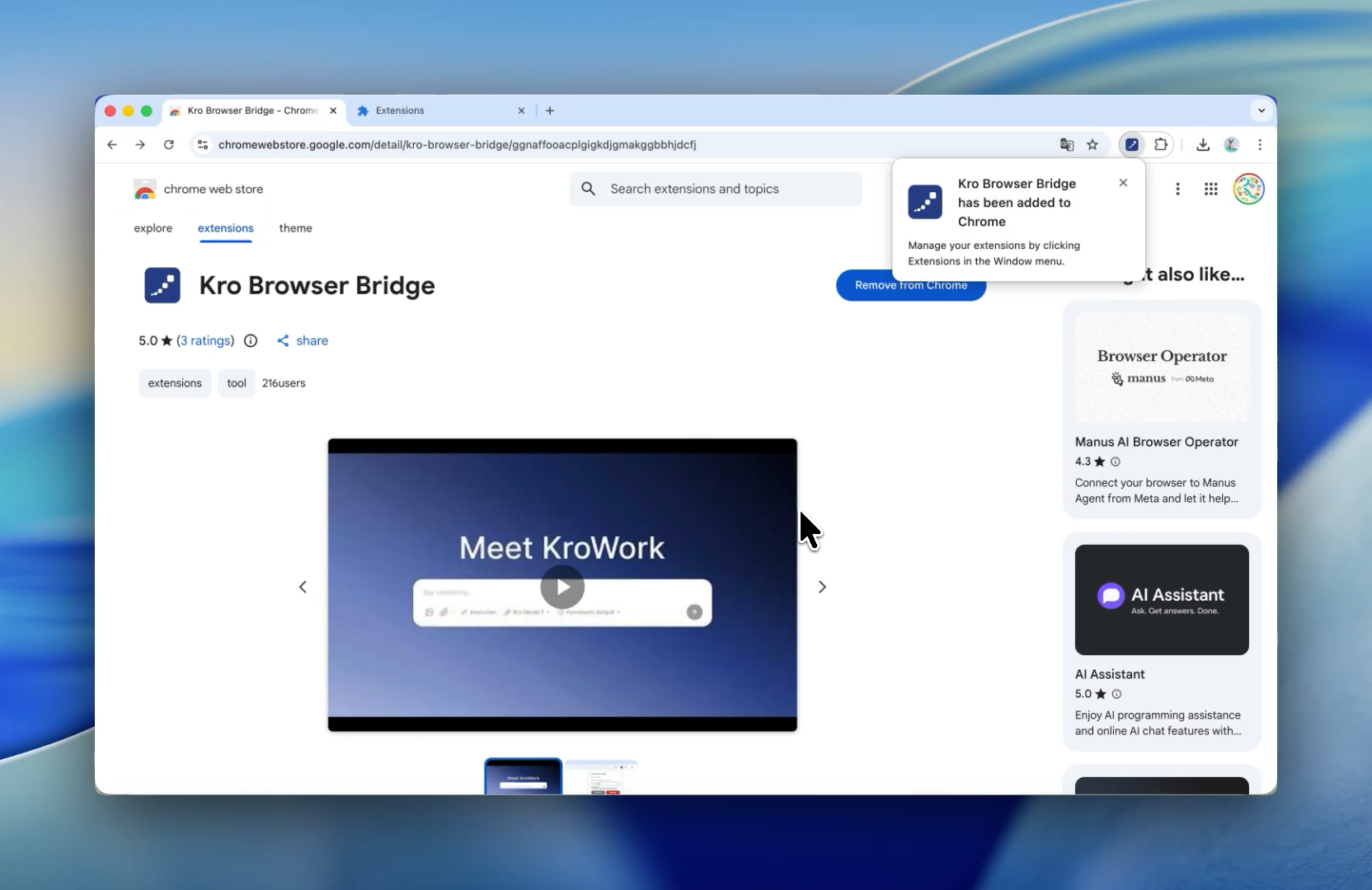
- The Kro Browser Bridge is a plug-in of KroWork, officially listed on the Chrome Web Store. It only runs when KroWork needs to work on a browser task, and makes no other changes to your browser or your data.
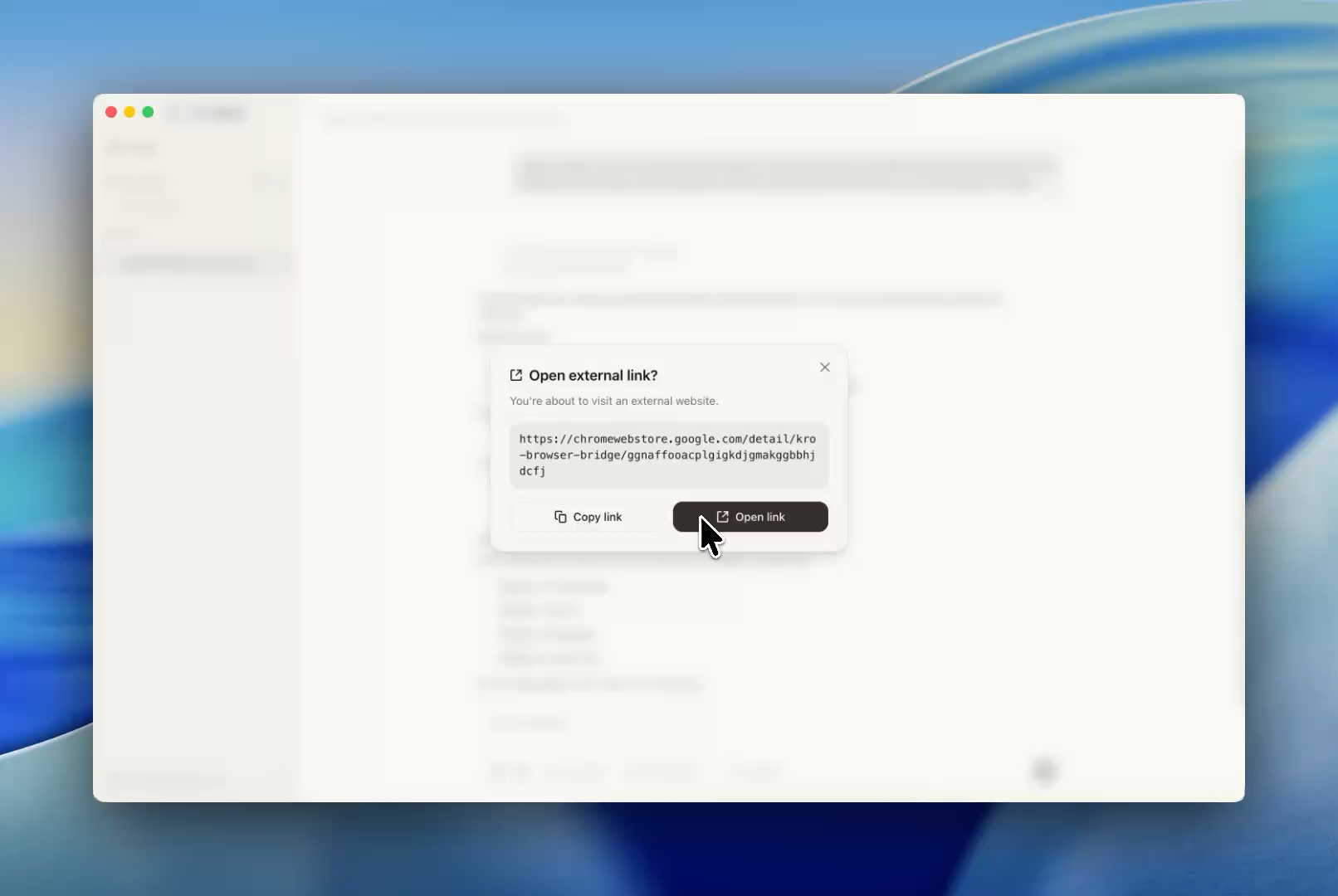
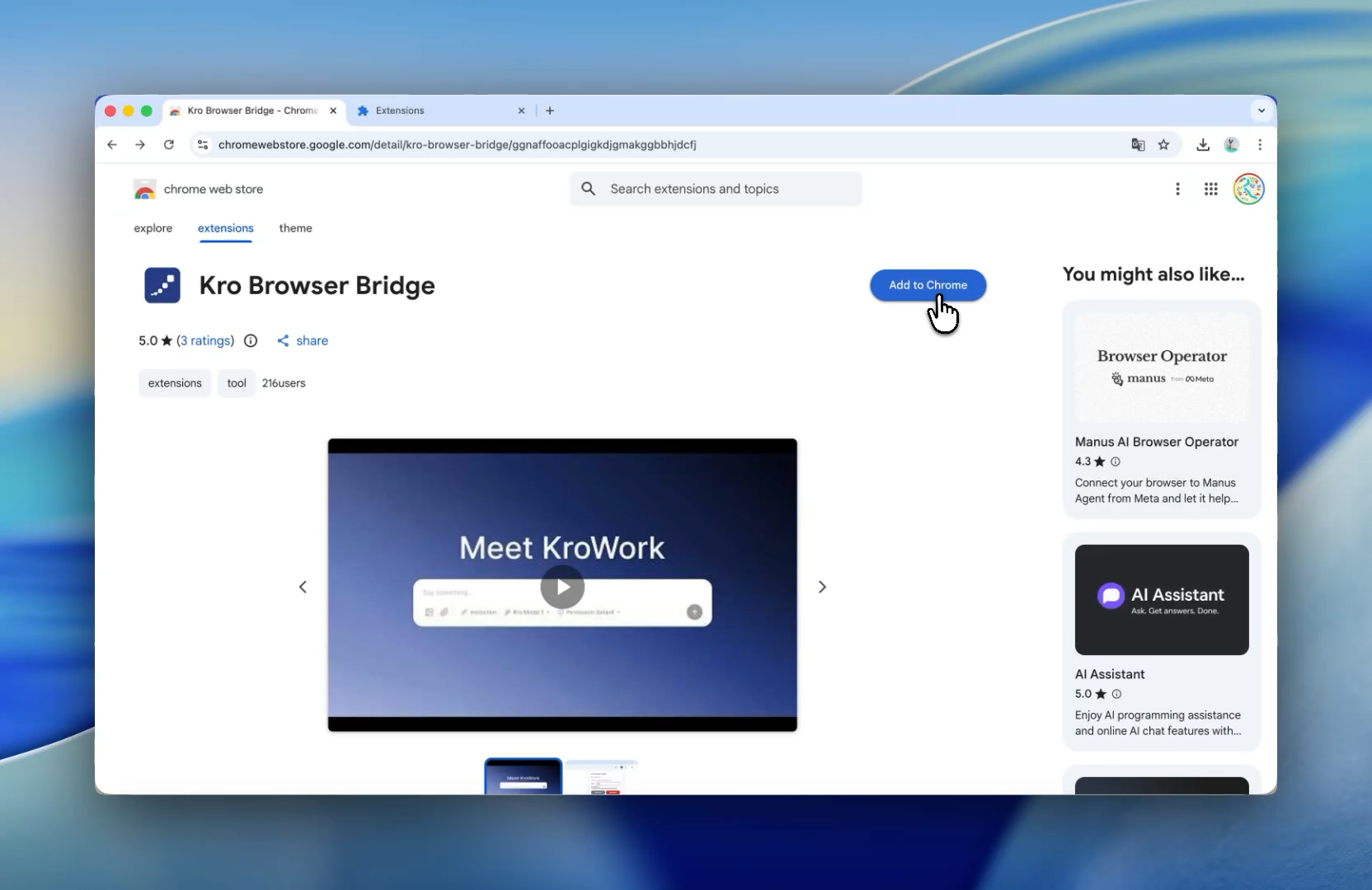
- If automatic installation fails, install manually via the link below: Kro Browser Bridge - Chrome Web Store
 |  |
 |  |
- Note: The Kro Browser Bridge currently supports Chrome and Chrome-based browsers only. More browsers will be supported in future updates.
Step 3: Install and enable the Chrome extension
- After downloading, the extension is often disabled by default. Please manually enable it before use.
- Chrome extensions access address:
chrome://extensions/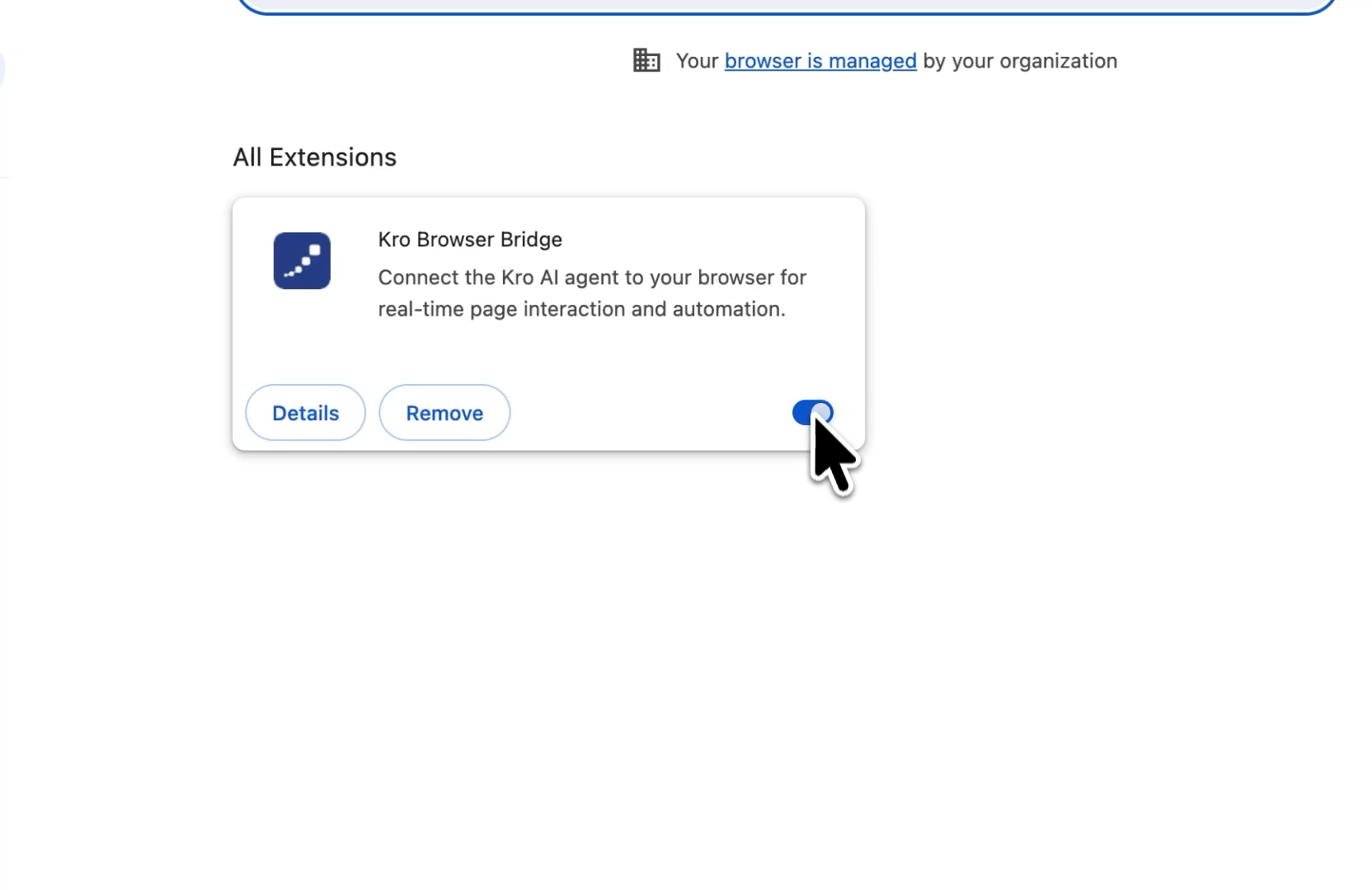
- The setup of installing the Kro Browser Bridge is now complete. This only needs to be done once for first-time use. Once the extension is installed and activated, you can run all browser tasks directly from KroWork.
Step 4: Let AI handle browser operations effortlessly
- To ensure your security, KroWork provides three permission modes for access confirmation: Default, Automatic, and Full Execution.
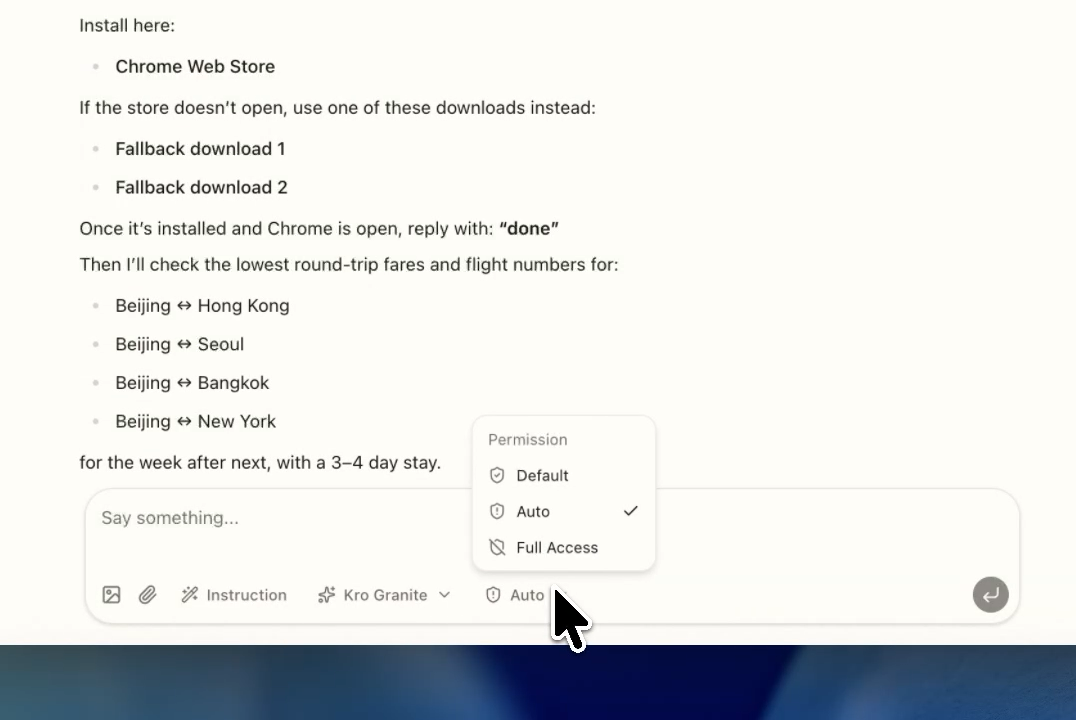
- Since every browser operation involves local device access, most actions will request your approval first under Default mode. If your current task involves low risks, you are recommended to raise the permission level accordingly.
Step 5: Obtain results processed by AI
- KroWork will complete assigned browser tasks such as reading, data scraping and analysis, and deliver results as required.
- Entrust all your browser-based workflow tasks to KroWork, and let AI handle the work for you.